1. How Transparent Displays Are Changing Commercial Interaction
A conventional digital display can deliver bright content, but it also creates a solid visual barrier. In a luxury showcase, museum exhibit or contemporary lobby, that barrier may hide the product, interrupt natural light or conflict with the architect’s intended sightline.
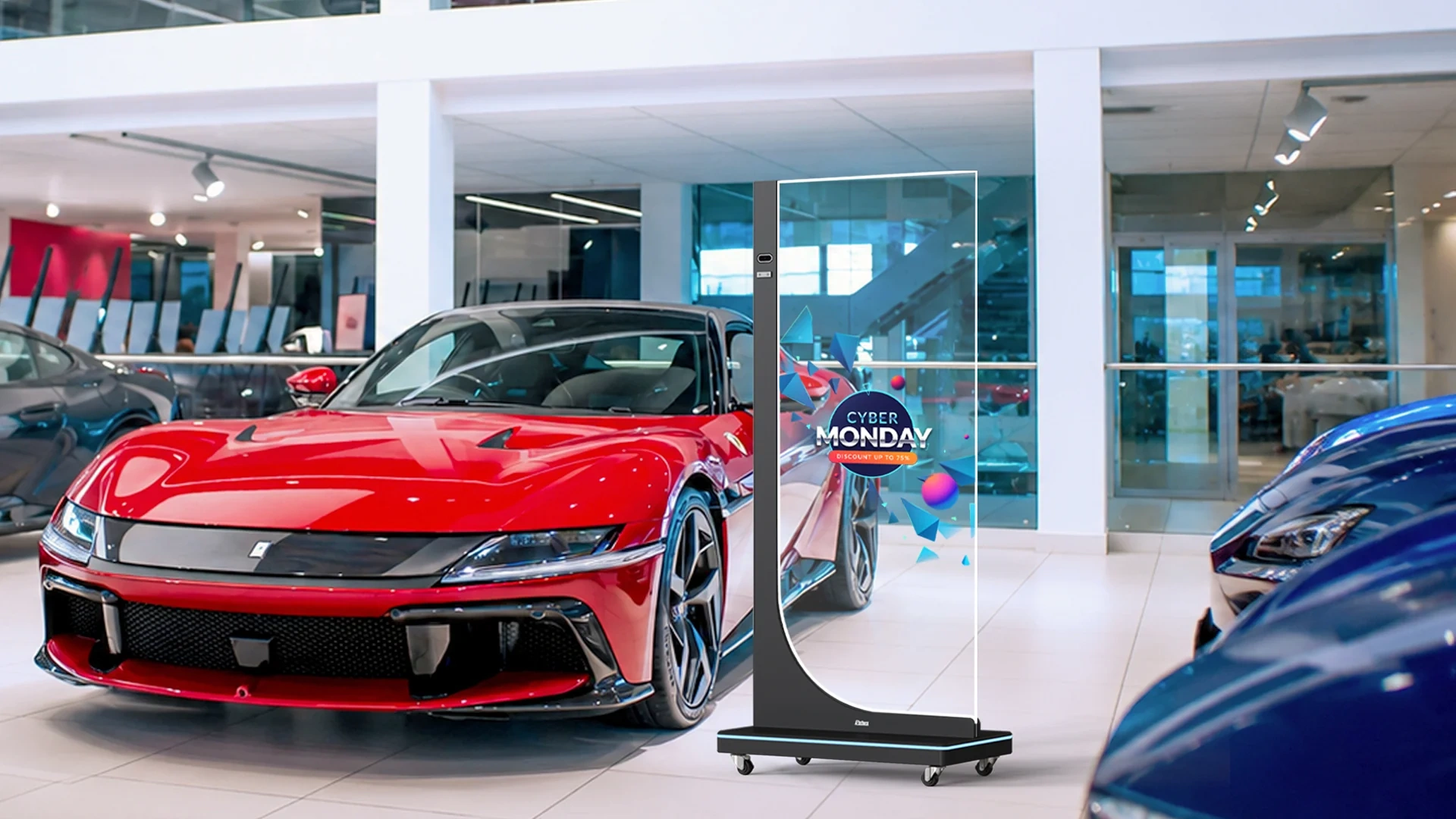
A transparent touch screen monitor approaches the problem differently. It places digital text, animation and interactive controls in front of a physical object while preserving a partial view through the display. The product remains visible; the digital layer explains, highlights or extends it.
That visual effect alone does not guarantee a successful installation. Buyers must coordinate the display technology, physical background, ambient light, viewing distance, touch interface, content and mounting structure.
A transparent display does not sit in front of the environment—the environment becomes part of the display.
This 2026 buyer’s guide explains how transparent digital signage works, where it creates commercial value, which technical specifications matter and how B2B buyers should evaluate an OEM/ODM manufacturing partner.
2. Transparent OLED vs. Transparent LCD: The Technical Difference
Transparent OLED and transparent LCD can produce similar see-through effects, but they create images in fundamentally different ways.
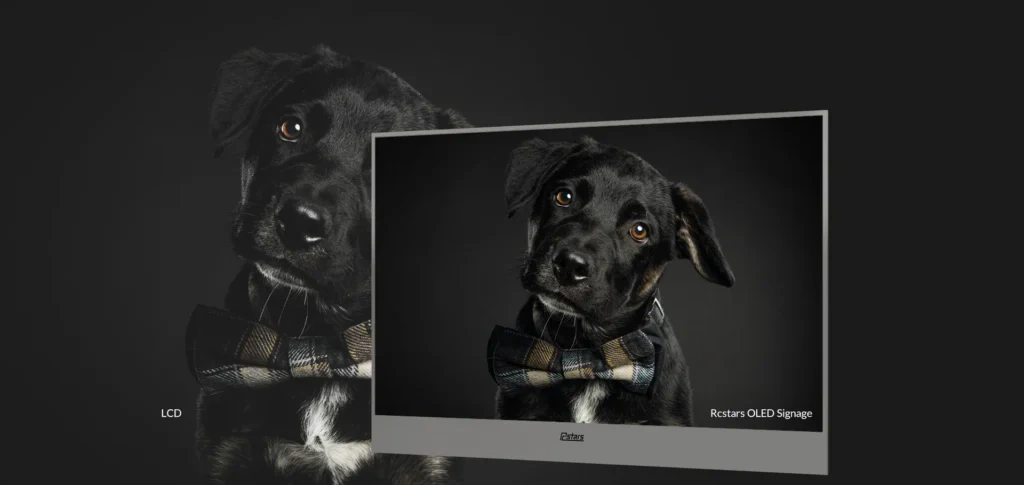
OLED is self-emissive. Each pixel generates and controls its own light, so the panel does not require the conventional backlight and optical-sheet structure used by LCD technology. LG Display currently describes transparent OLED panels as reaching up to 45% transmittance under its specified conditions, while LG’s 55EW5P-M finished commercial signage lists 43% transparency. Rcstars’ RCS-550XM product page lists 40% transparency for its finished display. These figures illustrate why buyers must compare like-for-like measurements rather than treat one transparency percentage as universal.
Transparent LCD remains non-emissive. The liquid-crystal layer controls light rather than creating it, so transparent LCD installations normally rely on ambient, rear or enclosure lighting. Samsung’s technical explanation notes that transparent LCD panels omit a conventional backlight unit and instead use available light or a purpose-designed lighting arrangement. Commercial integration suppliers commonly place them in illuminated showcases.
| Evaluation area | Transparent OLED | Transparent LCD |
|---|---|---|
| Image generation | Self-emissive pixels; no conventional backlight unit | Liquid-crystal layer modulates external or structural light |
| Transparency | Current commercial examples publish model-specific figures around 40–43%; panel technology may reach higher under defined test conditions | Typically lower and strongly affected by polarizers, panel construction and lighting |
| Content logic | Dark or unlit areas preserve more of the see-through effect | In many transparent LCD implementations, white content appears most transparent |
| Black performance | Self-emissive pixel control supports deep black and high perceived contrast | Black appearance depends on the LCD structure, lighting and enclosure |
| Installation structure | Can work in open product-overlay arrangements | Commonly benefits from a controlled lightbox or showcase |
| Cost and sourcing | Panel sizes and product formats are relatively limited | Can offer more integration choices depending on available panel sizes |
| Best-fit use | Premium product overlays, museums and design-led interiors | Enclosed product cabinets, counters and controlled showcases |
Swipe horizontally to view the complete comparison table on smaller screens.
Transparent OLED may be the stronger candidate when the project needs close-up content, deep contrast and a direct visual overlay in front of a product. Transparent LCD may be more practical when the integrator can control the lighting and enclosure while prioritizing cost or a different size range.
Neither technology should be selected from transparency alone. The buyer should compare the finished unit—including touch glass, enclosure and protective layers—under the lighting B2B Purchasing and OEM/ODM Customizationconditions expected at the site.
3. Why Transparent Displays Attract Premium Brands and Smart Spaces
Transparent digital signage creates value because it combines two forms of communication that normally compete for the same space: the physical object and the digital explanation.
Digital content can follow the physical product
A watch can remain visible while animated lines identify its movement, material or design features. A machine component can sit behind the screen while an exploded diagram explains its internal operation. Visitors do not need to look away from the product to read a separate poster.
Touch can deepen this experience. A customer may compare models, select a language, change a product color or request detailed information through the transparent interface.
The installation can preserve openness
An opaque monitor blocks light and divides a space visually. A transparent display can retain part of the view through a showcase, glass partition or open-plan showroom.
That makes transparent commercial displays relevant to architects and interior designers as well as marketing teams. The display becomes part of the spatial design rather than an electronic box added after construction.
One physical display can support changing narratives
Printed labels provide fixed information. Transparent digital content can change by campaign, language, visitor type or event schedule without replacing the physical exhibit.
The commercial benefit still needs measurement. A transparent screen may attract attention, but buyers should not assume a guaranteed increase in traffic or sales. Useful project indicators include:
- Viewing and dwell time
- Touch-session starts
- Completed product comparisons
- QR-code scans or brochure downloads
- Lead-form submissions
- Requests for staff assistance
A pilot installation can show whether the visual effect produces a measurable business result before the buyer commits to a larger rollout.
4. Technical Selection Criteria for a Stable Touch System
The display panel creates the image, while a separate sensing system detects interaction. A reliable transparent touch screen monitor must integrate both layers without undermining visibility or serviceability.
PCAP for refined, glass-front interaction
Projected capacitive touch detects changes in an electrical field through a conductive sensor structure. It supports gestures such as swiping, zooming and multi-touch navigation, while enabling a flat glass surface without the raised perimeter associated with many infrared frames.
PCAP suits premium indoor displays, product catalogs and interfaces that require detailed gestures. Its performance through gloves, thick cover glass or unusual coatings depends on the sensor design and controller tuning, so those operating conditions must form part of prototype testing. Zytronic identifies edge-to-edge construction, glass durability and sensitivity among PCAP’s design advantages while also noting that performance changes as screen dimensions and electrical conditions increase.
IR for flexible input and larger formats
Infrared touch creates a sensing grid across the screen surface using emitters and receivers inside a perimeter frame. A finger, glove or suitable pointer interrupts the grid and registers the position.
IR can be practical for larger displays and straightforward public interfaces. However, its physical bezel, sensor alignment and exposure to dust must be considered during enclosure design.
Rcstars publicly lists infrared and P-CAP touch as available extensions across its commercial-display portfolio, but buyers should confirm which technology applies to the specific transparent model rather than transferring a specification from another product family.
Optical bonding requires a project-specific decision
Optical bonding uses an optically clear adhesive to laminate transparent display layers such as cover glass, sensors and display modules. 3M’s optically clear adhesive products are specifically designed for bonding transparent display substrates and touch-panel structures.
Bonding can reduce the physical air gap and improve structural integration, but it should not be described as completely eliminating reflection or parallax in every product. The outcome depends on the panel stack, adhesive, surface treatment and viewing conditions.
It also affects repair. A fully bonded assembly may require replacement as one unit rather than allowing the touch layer or cover glass to be serviced independently.
Brightness must be read with its test conditions
“600 nits” is not meaningful without context. LG’s 55EW5P-M, for example, lists 200 nit at 100% average picture level and 600 nit at 25% APL without glass. Rcstars lists 500 cd/m² for the RCS-550XM. These values use different conditions and should not be treated as a direct ranking.
For every quotation, ask:
- Is brightness measured before or after protective glass?
- What image pattern or APL was used?
- Does the figure apply continuously?
- Does adding touch change the measured result?
- Has the display been tested against the site’s peak ambient light?
Transparent OLED intended for indoor showcases should not automatically be specified for a sun-facing window or outdoor installation.
5. Commercial Application Patterns for 2026
The most persuasive transparent-display proposal starts with a business problem, not a technology demonstration.
Luxury retail and product showcases
Pain point: Printed labels separate information from the product, while opaque screens hide the merchandise.
Solution: Place a transparent OLED touchscreen or illuminated transparent LCD in front of jewelry, watches, cosmetics or electronics. Content can identify materials, explain craftsmanship or let customers compare options.
Implementation benefit: The physical product remains central while the digital layer adds depth. The retailer can update the story without rebuilding the showcase.
Risk to manage: Excessive animation or dense text can overwhelm the object. Lighting and content need testing together.
Corporate showrooms and innovation centers
Pain point: Complex products and industrial systems can be difficult to explain through static models.
Solution: Add transparent diagrams, callouts and animations in front of a prototype, machine component or architectural model.
Implementation benefit: Visitors can connect the explanation directly to the physical feature being discussed.
Risk to manage: The display, product and viewer position must remain aligned. A poorly planned sightline can make digital labels appear disconnected from the object.
Museums and exhibitions
Pain point: Museums need to provide context without covering or physically modifying an artifact.
Solution: Use transparent digital signage for timelines, translations, annotations and controlled animation.
Implementation benefit: The exhibit remains visible while visitors choose the depth and language of information.
Risk to manage: Digital content should support the artifact rather than compete with it. Conservation, access and local installation requirements remain the responsibility of the qualified project team.
Hospitality and premium interiors
Pain point: Traditional monitors can disrupt carefully designed lobbies, restaurants and event spaces.
Solution: Integrate transparent displays into counters, partitions or decorative structures.
Implementation benefit: The venue gains a changing information surface while preserving spatial openness.
Risk to manage: Cables, control boxes and cooling equipment must be hidden without blocking service access.
Transportation and storefront environments
Transparent displays can support window promotions or information overlays, but the buyer must distinguish indoor glass placement from true outdoor deployment. Sunlight, reflections, heat and weather exposure can make an indoor transparent monitor unsuitable.For large glass façades viewed from a distance, transparent LED film may be more practical than a close-view OLED touchscreen. The screen technology should follow the viewing distance and content type.
Planning a retail showcase, museum exhibit or corporate showroom? Share the application with Rcstars for an initial configuration review.
6. B2B Purchasing and OEM/ODM Customization
A supplier should not receive a purchase order simply because its demonstration video looks impressive. Transparent-display projects expose weaknesses in mechanical design, documentation and production control quickly.
Confirm what the supplier actually manufactures
Ask whether the company produces the metal enclosure, integrates electronics, develops mounting structures or only resells the finished unit.
Rcstars states that it operates its own hardware factory and controls metal-housing design, production and quality processes. Its customization page describes OEM/ODM support for mechanical design, appearance, logo branding, touch functions and mounting formats.
For a custom project, request:
- Finished-product dimensional drawings
- Mounting-hole and cable-exit locations
- Material and surface-finish information
- Touch and system block diagrams
- Ventilation and service-clearance requirements
- Packing dimensions and gross weight
- Separate panel evidence from finished-product evidence
A panel specification does not automatically describe the complete monitor. Touch glass, bonding, electronics and enclosure design can change brightness, transparency, dimensions and thermal behavior.
Certification must also match the final product. Buyers should verify the model number, applicant or manufacturer name, configuration and destination market instead of relying on a generic CE, FCC or RoHS logo.
Review quality controls by project stage
Rcstars’ company profile states that it uses IQC, QC and QA processes and applies a 24–48-hour aging test to finished products. It also states that its products carry CE, FCC and RoHS documentation. These are first-party claims and should be supported with the applicable test records and model-specific documents before contract approval.
A useful supplier audit asks:
- Which incoming components are inspected?
- Is final testing performed on every unit or by sampling?
- What content and brightness settings are used during aging?
- Which failures trigger rework?
- Can the supplier provide test records for the order?
- How are engineering changes communicated?
- Treat delivery claims as conditional
Rcstars states that stocked products can be delivered within 15 days. That does not mean every custom transparent display can ship within the same period. A new enclosure, touch structure, software configuration or certification requirement may add design, prototype and validation stages.
Request separate schedules for:
- Requirement review
- Engineering proposal
- Prototype production
- Prototype modification
- Pilot run
- Mass production
- Packing and shipment
This gives the buyer a more credible project plan than a single headline lead time.
Rcstars’ published manufacturing position
Rcstars publicly states that it has more than ten years of digital-signage experience, provides OEM/ODM services and operates a production area exceeding 10,000 square metres. Its OLED range currently includes the RCS-550XM transparent OLED signage and RCS-550XML interactive model.
The correct positioning is important: Rcstars can be presented as a commercial-display manufacturer and OEM/ODM integration partner, but not automatically as the manufacturer of the underlying OLED panel.
7. Five UI/UX Rules for Transparent Screens
Transparent-screen content cannot simply reuse a conventional LCD layout.
Understand the black-and-white logic
On transparent OLED, dark or unlit content areas preserve the greatest see-through effect, while bright graphics become more visible.
In many transparent LCD implementations, white content appears transparent because the conventional backlight has been removed, while darker content blocks more of the light passing through the panel.
Always test the final content on the actual technology. A file designed for transparent OLED may produce the opposite visual hierarchy on transparent LCD.
Design for the real background
Photograph or model the installed product and background before finalizing the interface. Small text placed over a detailed watch mechanism, reflective component or brightly lit object can become unreadable.
Reserve fixed see-through zones
Decide which part of the product must remain unobstructed. Place digital labels, animation and buttons around that zone instead of covering the entire screen.
Guide interaction with motion
Use restrained motion, light trails or short prompts to indicate where a visitor should touch. Avoid continuous animation across every part of the screen; it competes with both the product and the interface.
Test every lighting condition
A design approved on an office monitor has not been validated for a transparent display. Test it with the real exhibit, glass, room lighting and viewing distance. A sun-facing retail location may also need different daytime and evening content.
8. Frequently Asked Questions
Can transparent digital signage remain readable in strong light?
It depends on the display technology, measured brightness, background and reflections. Buyers should test the finished unit at the site’s peak ambient-light level. A product designed for an indoor showcase should not be assumed suitable for direct sunlight or outdoor weather.
Can a transparent OLED screen develop image retention?
OLED products can require management of repeated static content. Buyers should follow the panel or finished-product manufacturer’s operating guidance and use content rotation, screen movement, scheduled changes or standby sequences where appropriate. LG’s commercial transparent OLED model, for example, specifies an 18/7 operating schedule for moving content.
Can Rcstars customize a special size?
Customization depends on available panel sizes and engineering feasibility. The enclosure, mounting method, color, logo, system and accessories may offer more flexibility than the OLED panel itself. Buyers should not interpret OEM/ODM support as a promise that any arbitrary panel size can be manufactured.
Can multiple transparent screens form a larger display?
Some transparent OLED products support expandable or tiled designs, but the bezel, controller, alignment, content canvas and mounting structure must be planned for the specific model. LG’s current 55EW5P-M is marketed with an expandable design, demonstrating that multi-unit configurations are possible on supported hardware.
What should an RFQ include?
Provide the application, preferred size, quantity, touch requirement, mounting method, physical-object dimensions, site photographs, lighting, content type, operating system, inputs, destination country, required compliance documents and target schedule.
9. Plan the Display and the Physical Space as One System
A transparent touch screen monitor can transform a product showcase, museum exhibit or corporate showroom, but the technology cannot be selected in isolation. Transparency, brightness, background lighting, touch, content, enclosure design and maintenance access must work together.
The same principle applies to supplier selection. Ask for controlled specifications, engineering drawings, prototype validation and model-specific compliance evidence rather than relying on headline claims.Rcstars provides transparent OLED products and OEM/ODM commercial-display integration for international B2B projects. Share your installation drawings, site photographs, interaction requirements and estimated quantity with the Rcstars team to request a project-specific feasibility review and quotation.