A search for a custom OLED screen often starts with picture quality, but commercial display projects rarely fail because the image was not impressive enough. They fail when the chosen panel cannot match the operating hours, ambient light, enclosure, mounting method, software, maintenance plan, certification needs or supply schedule.
That is why a custom OLED display and a custom LCD display should not be compared as isolated panels. A buyer may need anything from a display module to a complete custom commercial display with touch, housing, operating system, connectivity, mounting hardware, branding and production support. This guide explains how to define that requirement, compare OLED and LCD, prepare an RFQ and assess an OEM display manufacturer.
What Does “Custom OLED Display” Actually Mean?
“Custom display” can describe two very different purchasing scopes.
Module-Level Customization
At module level, customization may involve panel size, resolution, aspect ratio, electrical interface, control method, circuit design, cable configuration, touch integration or cover glass. These details depend on the selected panel platform and the supplier’s documented engineering capability. Buyers should not assume that every dimension, interface or operating condition can be created on demand.
This is also where supplier identity matters. A company that integrates a custom OLED module into a product is not necessarily the manufacturer of the OLED panel itself. Ask which work is performed in-house, which components come from third parties and which specifications the original component manufacturer supports.
Complete Commercial Display Customization
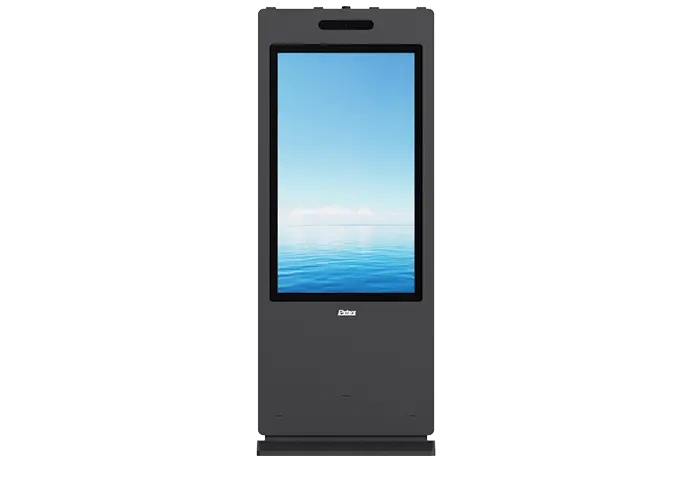
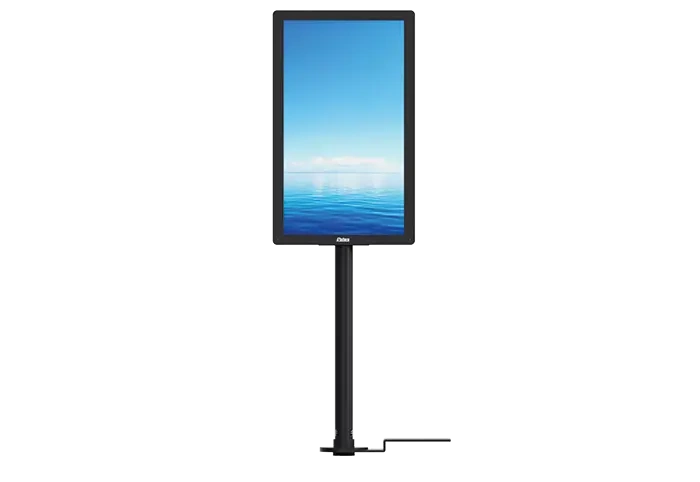
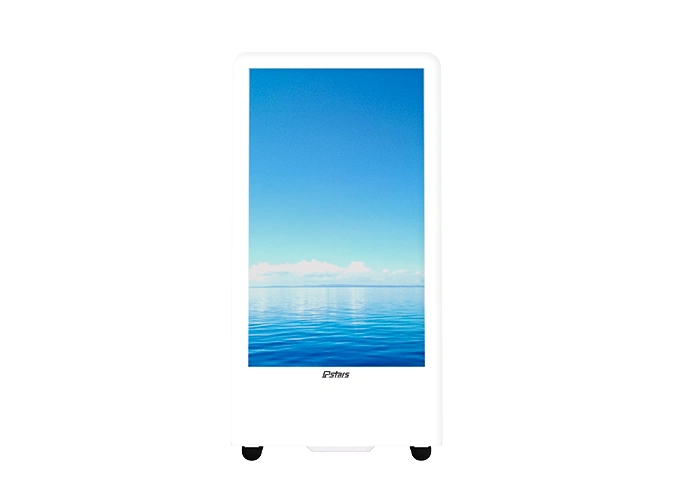
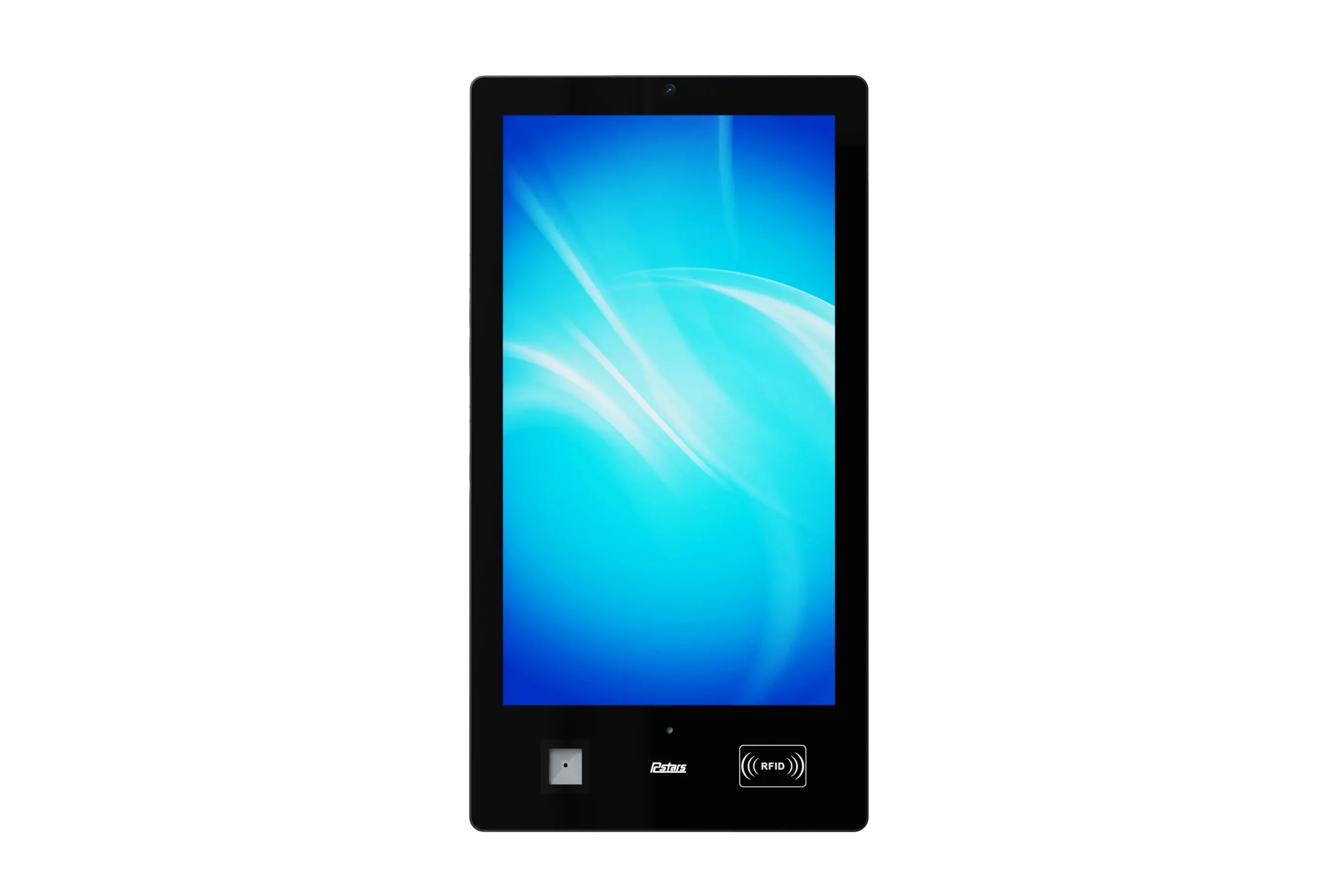
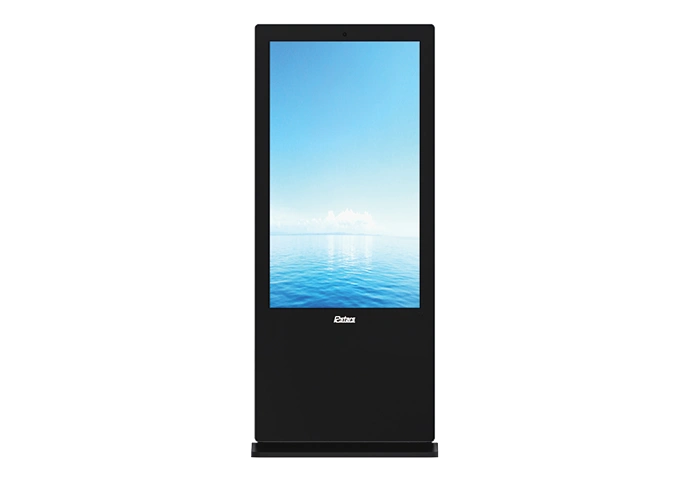
A complete custom digital signage display adds the product around the panel: metal enclosure, orientation, touch function, Android or Windows hardware, wall-mounted or floor-standing structure, embedded installation, outdoor protection, battery power, colors, logo and packaging. Rcstars’ published customization scope, for example, focuses on OEM/ODM digital signage integration, mechanical design, branding and optional functions rather than claiming OLED panel fabrication. to frame the project is:
Display module → Complete display product → Deployment solutionThe farther right the project moves, the more important system integration, testing, documentation and after-sales support become.
OLED vs. LCD for Commercial Display Projects
OLED and LCD create light differently. OLED pixels emit and control their own light, while LCD panels use a backlight behind the liquid-crystal layer. That difference can influence black levels, contrast, thickness, power behavior and product design, but it does not decide the whole project.
| area | OLED selection considerations | LCD selection considerations |
|---|---|---|
| Contrast and black performance | Strong choice when deep blacks and high perceived contrast shape the experience | Performance depends on panel type, backlight design and local-dimming capability |
| Commercial size availability | Confirm that the target size and form factor have a stable supply path | Standard commercial signage sizes are generally available across a broader range |
| Long operating hours | Review static-content patterns, brightness settings and panel-care requirements | Confirm the exact model’s rated operating schedule, thermal design and duty cycle |
| Bright environments | Verify measured brightness, reflections and enclosure design for the actual site | High-brightness commercial configurations may suit bright indoor, window-facing or outdoor projects |
| Power consumption | Varies with image content, brightness and panel design | Influenced by backlight output, screen size, brightness and power-management settings |
| Service and replacement | Consider panel availability, replacement procedure and content-management practices | Assess modular serviceability, spare-part access and panel substitution plans |
| Cost and lead time | Uncommon sizes or special forms may narrow sourcing options | Cost depends on size, enclosure, touch, brightness, system and customization depth |
| Supply continuity | Confirm panel lifecycle, allocation and approved alternatives | Confirm panel model, revision control and replacement-component validation |
OLED may be considered when deep black, premium visual presentation, thin construction or a distinctive form factor is central to the customer experience. It is most credible when the buyer has already defined content behavior, daily operating schedule and maintenance controls. Sony’s current OLED guidance, for example, warns that continuously displayed or repeatedly displayed static images can create image retention on applicable products. That does not make OLED unsuitable for signage; it means content and operating conditions must be part of the engineering review. D may be more practical for large-format networks, bright environments, standardized size families, serviceable enclosures and projects that prioritize repeatable batch deployment. Some professional LCD models are specifically designed for 24/7 use with thermal protection and internal monitoring, but buyers should verify those claims for the quoted model rather than treating all LCD panels as equivalent. s your project? If visual depth and a specialized experience drive value, investigate OLED. If size choice, brightness options, maintainability and rollout consistency dominate the business case, commercial LCD often provides a wider sourcing path. In either case, select the system only after defining the deployment.
Build Your Custom Display Specification Checklist
“Please quote a customized screen” gives an engineering team too little information. A useful display RFQ turns the business scenario into testable requirements.
1. Define the Application
- ✓ Industry and location: retail, restaurant, hotel, transport, education, government or another setting
- ✓ Purpose: advertising, information, wayfinding, ordering, check-in or interactive service
- ✓ Deployment model: one site, pilot project or multi-location rollout
- ✓ Expected daily operating hours and content schedule
2. Confirm the Installation Environment
- ✓ Indoor, semi-outdoor, window-facing or outdoor placement
- ✓ Ambient light and expected viewing distance
- ✓ Available installation space and access for maintenance
- ✓ Dust, water, impact or vandal-resistance requirements
- ✓ Ventilation, heat sources and available power
3. Specify Display and Interaction Requirements
- ✓ Screen size, aspect ratio and orientation
- ✓ Target brightness based on the site, not a generic preference
- ✓ Touch or non-touch operation
- ✓ Single-sided or double-sided structure
- ✓ Required peripherals such as camera, sensor, printer, scanner or payment device
4. Define the System and Connectivity
- ✓ Android, Windows, external media player or monitor-only configuration
- ✓ Required video, USB and network connections
- ✓ Wi-Fi, Ethernet or cellular connectivity
- ✓ Compatibility with the selected content management system
- ✓ Device-management, security and update responsibilities
5. Clarify Commercial Requirements
- ✓ Prototype quantity and estimated production quantity
- ✓ Destination country and delivery target
- ✓ Required product-level compliance documents
- ✓ Packaging, labeling and logistics expectations
- ✓ Acceptance tests, spare parts and after-sales process
A downloadable custom display specification checklist can reduce back-and-forth and expose feasibility issues before tooling or prototype work begins. Send the completed project specifications for an initial feasibility review.
How to Evaluate a Custom Display Manufacturer
A polished quotation does not prove that a supplier can manage an OEM display project. Evaluate the organization behind the quotation.
Engineering
Determine whether the supplier is a manufacturer, a system integrator or a trading company. Ask who owns the mechanical design, electrical integration, thermal review and software configuration. The most useful contact may be an engineer who can challenge incomplete requirements, not a salesperson who simply confirms every request.
Quality
Request the actual control plan for the proposed model. It may include incoming inspection, in-process checks, functional testing, aging tests, final inspection and packaging verification. More importantly, ask what records are retained, what defects trigger rework and whether the tests apply to the exact product being quoted. A generic factory presentation cannot replace a model-specific verification plan.
Certification
Treat certification as product evidence, not a logo list. For EU projects, the Declaration of Conformity should identify the electrical equipment or product model and the applicable legislation. EU rules also require manufacturers to account for design or specification changes that may affect conformity. ts, wireless functions can add another layer. FCC guidance distinguishes transmitter modules from the host products that incorporate them and provides integration requirements for OEMs. Buyers should therefore confirm whether evidence covers the module, the finished device or both.
Separate prototype timing, revision timing, pilot-run timing and mass-production timing. Ask how engineering changes are approved and how delays will be communicated. A single lead-time number often hides the stages where most schedule risk appears.
Support
Confirm who receives technical issues after delivery, what information is needed for diagnosis and whether remote support, replacement parts or repair arrangements are available. International projects also need clear English documentation and a defined escalation path.A simple supplier scorecard can rate Engineering, Quality, Certification, Delivery and Support from one to five, with written evidence beside every score.
From Concept to Mass Production: The OEM/ODM Process
A transparent OEM display process helps both sides control changes before they become expensive.
Requirement Brief
Define the application, dimensions, functions, quantity, destination market, certification needs and requested delivery schedule.
Feasibility Review
Review panel sourcing, enclosure design, touch integration, operating system, thermal management, mounting and production constraints.
Proposal and Quotation
Document the recommended configuration, customization scope, prototype cost, estimated timeline, exclusions and acceptance criteria.
Prototype and Validation
Review appearance, structure, functions, software compatibility, test results and any required prototype revisions.
Pilot Run and Mass Production
Verify assembly consistency, production testing, quality controls, packaging and readiness for larger-volume manufacturing.
Delivery and Support
Prepare shipping documents, operating information, support contacts, spare-part arrangements and plans for repeat orders.
The crucial boundary is prototype approval. Changes made before approval are design decisions; changes made after approval can affect cost, schedule, compliance and previously completed tests.
Common Custom Display Project Mistakes
Choosing OLED or LCD before defining the use case is the first mistake. It turns a business requirement into a technology preference and may force compromises later.
Ignoring operating conditions creates the next risk. A buyer who omits sunlight, daily runtime, dust, heat, available power or service access prevents the supplier from reviewing the real environment.
Comparing unit price alone also distorts the decision. Prototype work, enclosure revisions, compliance testing, packaging, freight, replacement parts and field service can outweigh a small difference in hardware cost.
Certification should not appear at the end of the project. Destination-market requirements can affect components, labels, documents and testing. Acceptance criteria also need early agreement: screen appearance, brightness method, touch response, interfaces, operating system, enclosure finish and packaging should be checked against written standards.
Finally, plan for supply changes. Ask how the supplier handles panel revisions, end-of-life notices, alternate components, revalidation and future orders.
Application-Based Selection Examples
Retail and brand environments may prioritize visual impact, enclosure finish, touch interaction and installation details.
Restaurants and hotels often need menu boards, wayfinding or self-service systems that combine long operating schedules with simple maintenance.
Transport and outdoor projects place more weight on ambient-light visibility, environmental protection, remote monitoring and service access.
Education and government buyers may focus on system compatibility, procurement documentation, durability and model-specific compliance evidence.
System integrators and distributors usually need consistent batches, white-label options, technical documentation and predictable change control.
Technology startups often benefit from a prototype-first path that validates the product before committing to larger quantities.
How Rcstars Supports Custom Digital Signage Projects
Rcstars positions its work around complete commercial digital signage and OEM/ODM integration. Its published product range includes floor-standing displays, wall-mounted displays, touch kiosks, outdoor signage, ultra-wide stretched displays, window displays, battery-powered units, double-sided displays and other specialized formats. commercial display project, Rcstars can review mechanical form, enclosure appearance, branding, touch options, system configuration and integrated functions against the buyer’s brief. Its customization page describes support from mechanical design and product testing through delivery and later maintenance. ing is important: Rcstars should be evaluated as a custom digital signage manufacturer and integration partner, not automatically described as an OLED panel manufacturer. Buyers considering a custom OLED display should ask Rcstars to confirm panel sourcing, supported configurations and project feasibility. Buyers choosing a custom LCD display can review relevant product families and then request model-specific specifications, test plans, compliance documents and delivery terms.
Frequently Asked Questions About Custom OLED and LCD Displays
Can an OLED screen be customized?
Yes, but the available scope depends on panel supply, target size, quantity, electrical design and the supplier’s engineering role. Some projects customize the module; others integrate a standard OLED panel into a custom enclosure and complete commercial system.
Is OLED or LCD better for digital signage?
Neither is universally better. Compare size, brightness, content type, daily runtime, viewing environment, maintenance, cost and supply continuity. OLED may suit experience-led installations, while commercial LCD may offer a broader path for standardized signage deployments.
What information is needed for a custom display quotation?
Provide the application, screen size, orientation, brightness target, touch requirement, operating system, connectivity, mounting method, peripherals, quantity, destination country, required documents and desired delivery date. Include acceptance criteria whenever possible.
What is the MOQ for a custom display?
MOQ depends on the depth of customization, panel availability, enclosure work, electronics, tooling and production scheduling. A prototype quantity and a production quantity should be quoted separately rather than assuming one fixed MOQ for every project.
How long does a custom display project take?
The timeline should separate feasibility review, proposal, prototype production, testing, revisions, pilot run and mass production. A fixed headline lead time can be misleading if the design or compliance scope has not been finalized.
Can the enclosure, touch screen and operating system be customized?
Complete commercial display suppliers can often evaluate these items, but feasibility depends on size, thermal design, software compatibility, peripheral integration and order requirements. The confirmed scope should appear in the engineering proposal and approved specification.
Which certifications should buyers request?
Request documents that match the quoted model, configuration and destination market. Check the company name, model identification, applicable standards or legislation, issue date and supporting reports instead of accepting a general certificate list.
How can buyers reduce supply-change risks?
Ask for the panel and key-component lifecycle policy, change-notification process, approved alternatives, revalidation procedure and spare-part plan. Record these expectations before mass production so future substitutions do not arrive as surprises.